
Modern assembly lines are becoming more complex, with increasing demands for customisation, speed, and precision. Operators are expected to work with advanced machines and robots, while also handling large amounts of process data and documentation. Extended Reality (XR) can help reduce this cognitive burden by placing information directly in the operator’s field of view and allowing for intuitive, hands-free interaction.
Hololight (HOLO) is building an XR application, RoboSpace, for the end-user KUKA, within the Use Case 1 “Personalised XR in Assembly Line Production” of the XR5.0 Pilot 1 “Rapid Human Centric AI-enabled Production Design”. RoboSpace is built on Hololight Space and is securely streamed to the Microsoft HoloLens 2 using Hololight Stream, bringing the above-mentioned capabilities into real-world production settings.
True-to-Scale Robot Visualization
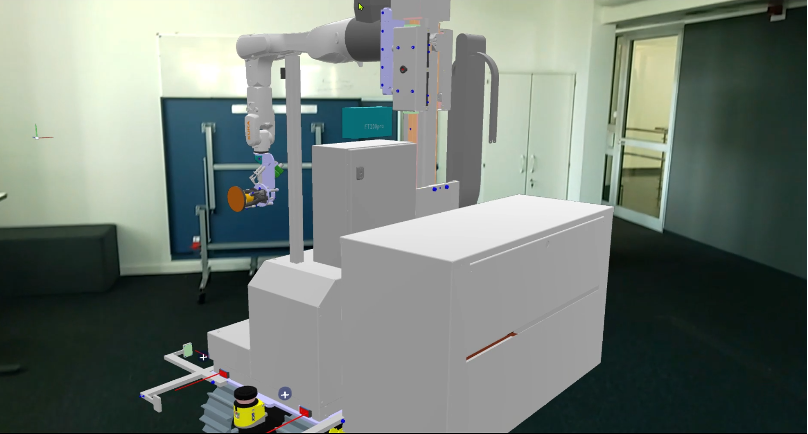
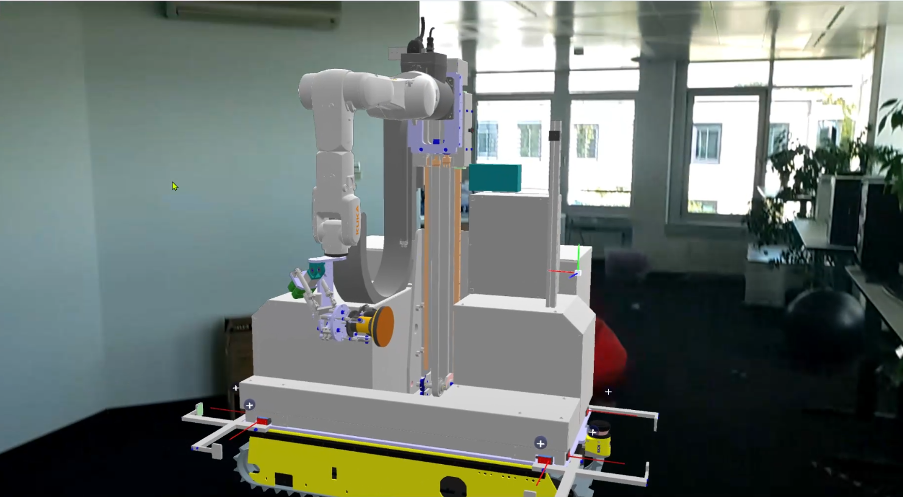
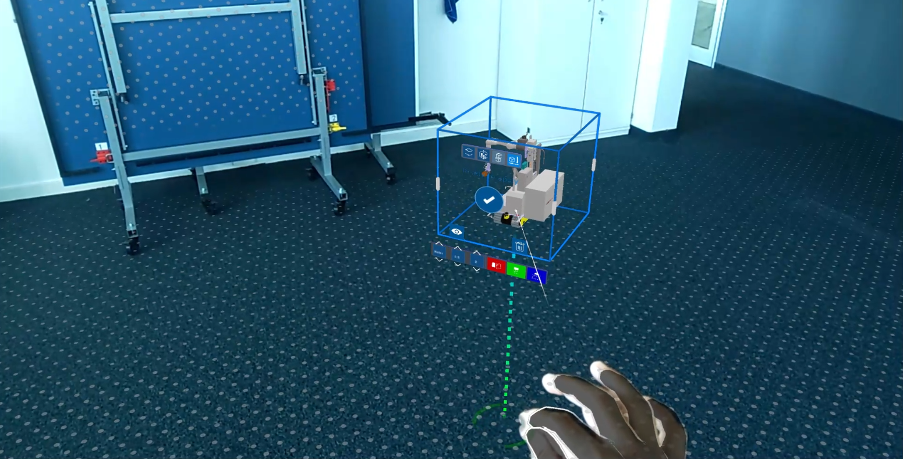
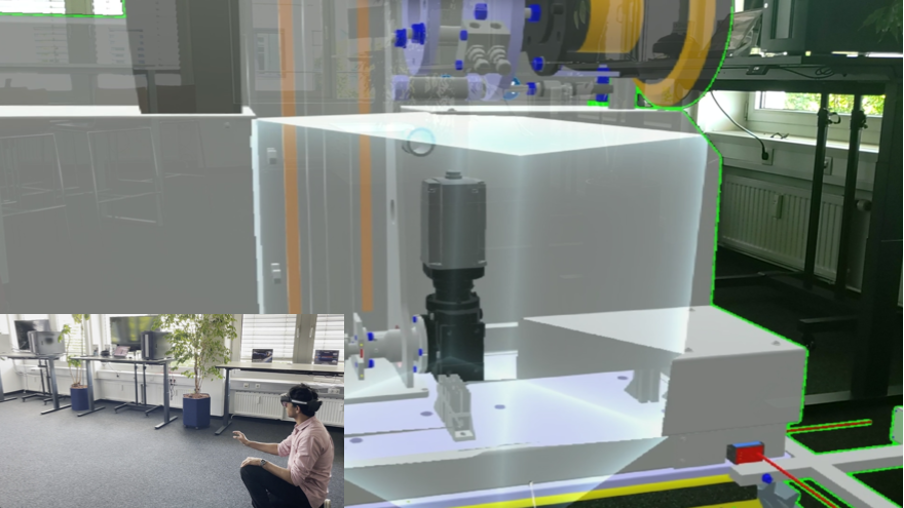
The application provides a high-fidelity digital representation of a KUKA robot in true scale (Figure 1). Operators can walk around it, view it from any angle, and place it in their physical workspace for comparison with the real machine (Figure 2). This spatially accurate representation is critical for both training and day-to-day operation, as it enables workers to develop a deeper understanding of robot behaviour and positioning in their environment. The operator can align the virtual model with the real physical space using markers such as QR codes or a Two Point Alignment Tool that allows users to precisely align the 3D model to real-world references using two connected points ensuring the virtual model matches both the position and orientation of physical objects.
Interactive Tools for Inspection and Analysis
The application has a set of interaction tools designed for industrial workflows:
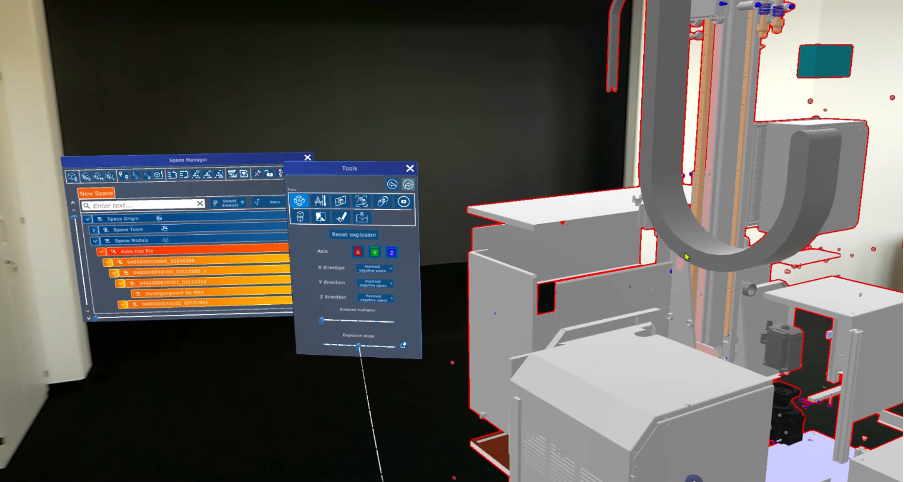
- Explosion view: Disassemble the robot virtually to understand its internal components without any physical teardown (Figure 3).
- 3D model manipulation: Use tools such as bounding box, grab, rotate, scale and move to manipulate virtual 3D models in real environment.
- Cross-sectional views: Slice through models using 2D plane, cube or sphere to analyse hidden structures (Figure 5).
- Measurement and annotation tools: Take measurements within the model and leave notes for colleagues.
- Collision detection: Identify potential clashes between robot parts or with external equipment before they become real problems.
Together, these tools transform XR from a simple visualization platform into a workspace where analysis and decision-making can take place directly on-site.
Real-Time Data Visualization with OPC UA
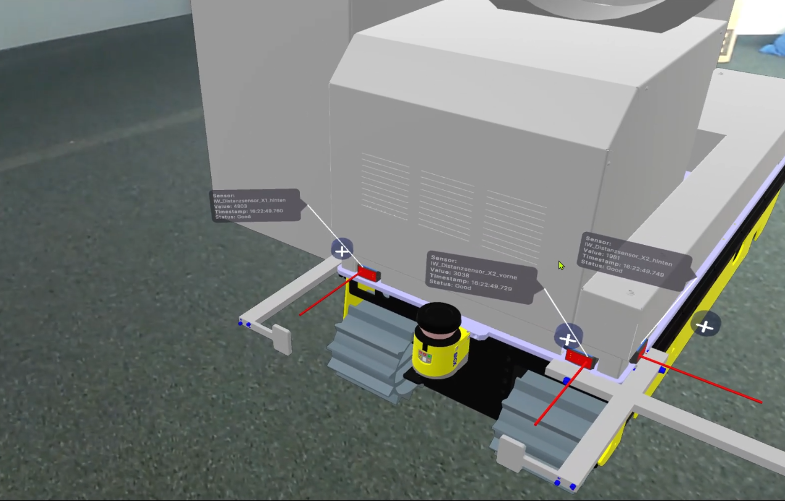
A major strength of the application lies in its integration with KUKA’s OPC UA servers. By connecting to machine controllers and sensors, the XR model becomes a live digital twin that overlays real-time data onto the robot. For example, operators can see readings of the distance sensors displayed directly on the robot arm. Instead of switching between screens or terminals, the operator experiences the data where it matters most—on the machine itself.
AI-Powered Assistance for Documentation
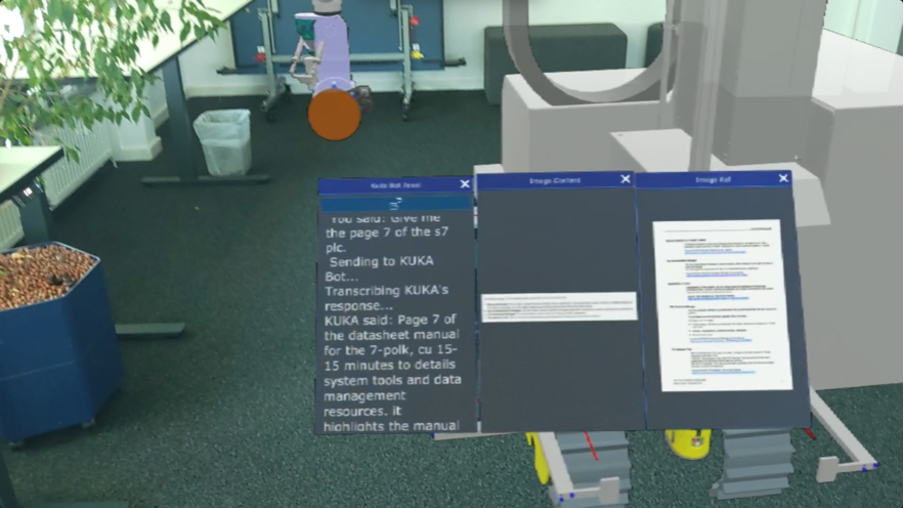
Industrial robots come with extensive technical documentation, manuals, and troubleshooting guides. Searching through these during operation is inefficient. To address this, the application integrates AI services, developed by partner Siemens, that allow workers to ask natural language questions such as Show me the technical specifications of the robot arm?” or “Display the commissioning manual of the robot arm?” The system retrieves and summarizes relevant documentation, providing immediate answers in XR (Figure 7).
Voice-Driven UI for Industrial Environments
In production settings, hands are often occupied, and using controllers or touch interfaces is impractical. Our application supports voice-driven interaction, enabling users to control the interface, switch tools, or request information through simple spoken commands. For example, the application allows users to visualise all the distance sensor values via voice. This feature makes the system far more usable in noisy, hands-on environments.
Practical Applications on the Assembly Line
The combined features enable:
- Guided assembly using AR overlays directly on machines.
- Monitoring of live operational data for predictive maintenance.
- Remote assistance, where an expert can guide on-site staff in real time.
- Personalized voice-driven workflows, improving efficiency and safety.
Together, these features support assembly line workers with contextual information, data visualization, and hands-free operation ensuring that operators are empowered with information and tools exactly when and where they need them, reducing downtime and enhancing productivity.